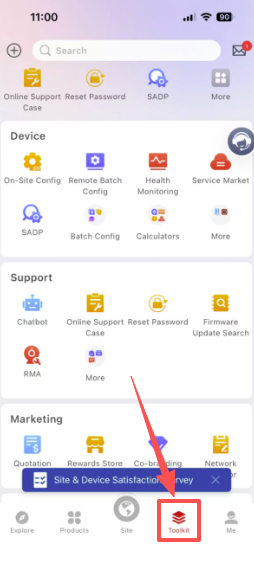
Open the Hik-Partner Pro app on your phone, then go to the Toolkit page from the bottom menu.
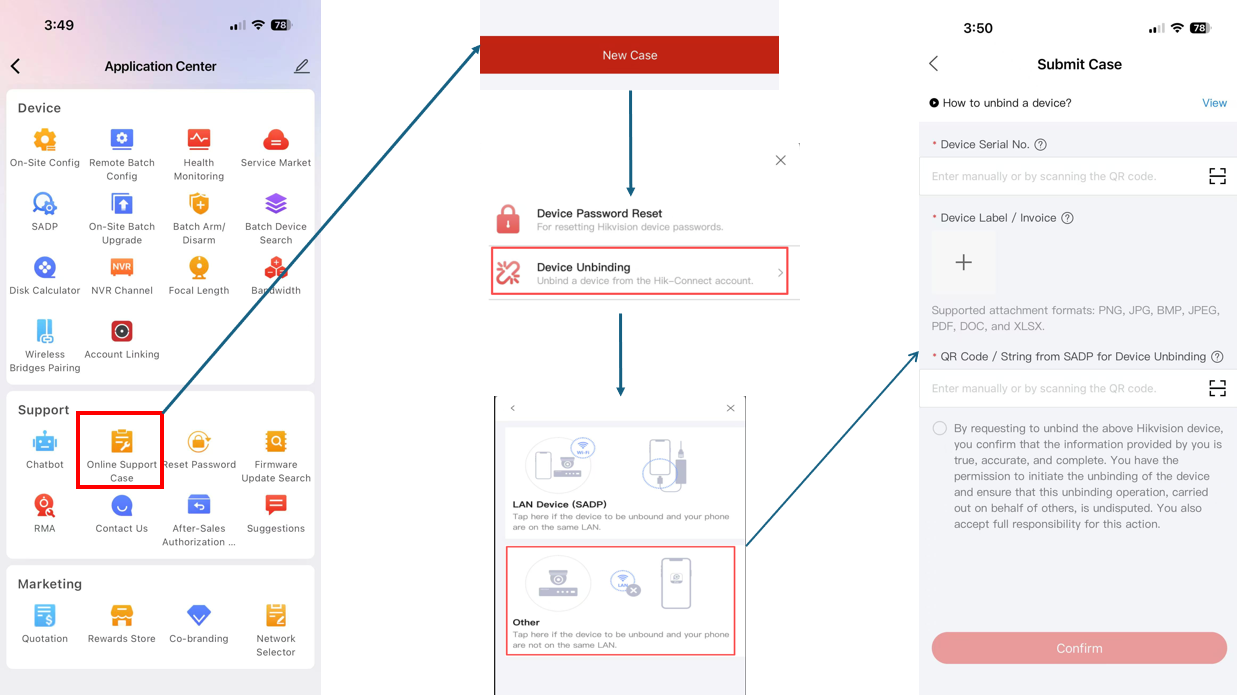
2.Click on “Online Support Case” and create a new case.
a. Select Device Unbinding.
b. On the next page, choose Other.
c. Fill in the form, then click Confirm.
3.Hikvision will reply in 30 minutes during business hours.(Monday-Friday)during 8:30 AM - 5:00 PM Eastern Time Zone. Submitting outside of business hours, they will reply on next business day.